Introduction
The purpose of this exercise was to improve the previous UI/UX designs in order to create a more suitable experience for the users.
UX
A UX is a “User experience” that encompasses all aspects of the end-user’s interaction with the company, its services, and its products. A UX designer is concerned with the entire process of acquiring and integrating a product, including aspects of branding, design, usability and function.
As shown in figure 1, a UX design allows a designer to map out the process and function of an app, as the menus are interconnected in the form of networks.
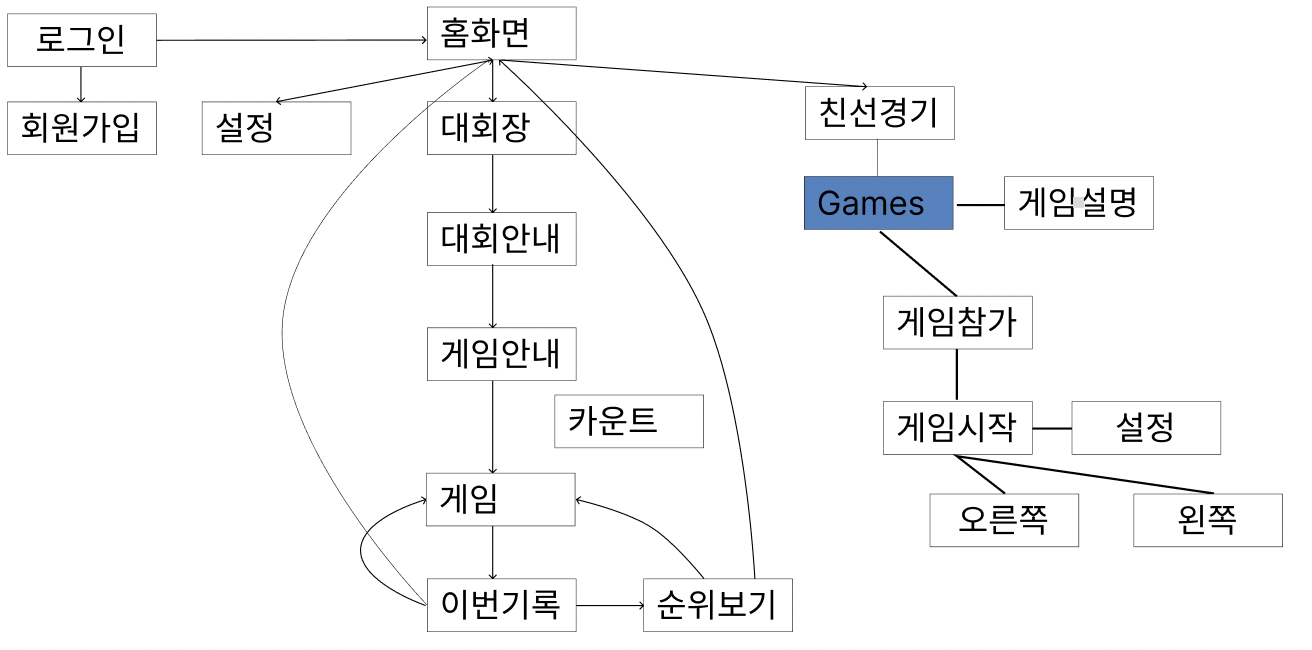 Figure 1: An example UX structure
UI: Structure
The user interface (UI) is the point of human-computer interaction and communication in a device. This can include display screens, keyboards, a mouse and the appearance of a desktop. It is also the way through which a user interacts with an application or a website.
As shown in figure 2, the structure of the application screen was first constructured with ideas of where to locate each individual menu.
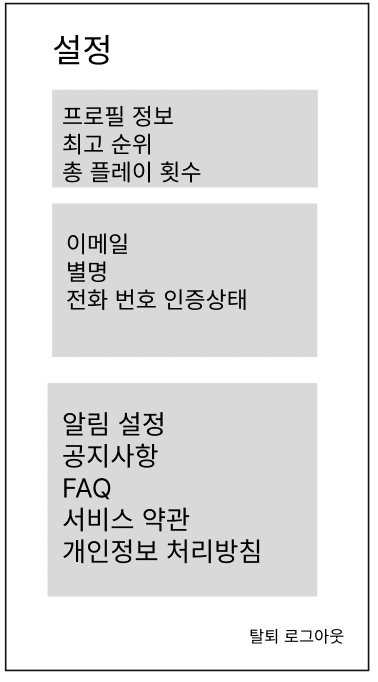 Figure 2: An example of an updated UI structure
UI: Visual
Then, we finally focused on the visual elements of the UI. Not only the styllic features were important, but the techinical accuracy of the design was also critical in creating an user-friendly environment.
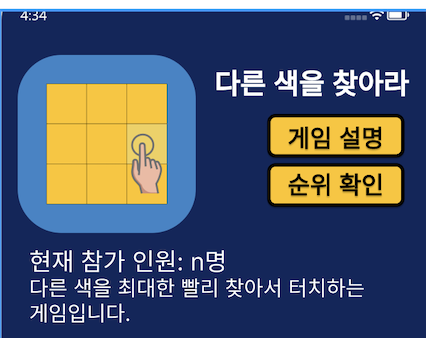 Figure 3: An example of an updated UI visual